A squirrel fills the screen when you press the zoom button, but the fur looks softer instead of clearer. Is the viewer faulty, or is that what digital zoom does? Understanding optical vs digital zoom in night vision binoculars helps you separate a larger picture from additional detail—and spend your budget on the features you'll actually use.
At BekinTek, we recommend reading three specifications separately: optical magnification, digital zoom, and recording resolution. An “8x” digital zoom setting isn't the same thing as an adjustable optical lens, and “4K video” doesn't establish either one. Here's a practical way to compare them for backyard wildlife, camping, and stationary outdoor observation.
Optical magnification and optical zoom aren't interchangeable
Optical magnification describes how large a subject appears through the optical system. Optical zoom means the lens system can vary its focal length to change framing before the image reaches the sensor. A viewer can have a fixed optical magnification without offering a variable optical zoom range.
That distinction matters when a listing says something like “5x optics magnification.” It may describe the base optical view. It doesn't automatically mean you can turn a zoom ring continuously from 1x to 5x. Look for an explicit optical zoom range and an explanation of the control before assuming that capability is present.
Focus is separate again. A focus ring brings a subject at a particular distance into focus; turning it doesn't necessarily change magnification. If you're troubleshooting softness, our night vision focusing guide is a better starting point than repeatedly pressing zoom.
What digital zoom changes
Digital zoom enlarges a selected part of the image electronically. The device may crop and rescale the sensor image, and processing methods vary between models. The subject takes up more of the display, but enlargement alone doesn't create optical information that the original image never captured.
A simple illustration is a photograph cropped to half its original width and height. That crop contains one quarter of the original pixel positions. Enlarging it back to the original display size makes the subject bigger; it doesn't restore the discarded surrounding image or guarantee newly resolved texture.
That's an explanatory example, not a claim about how a particular BekinTek viewer processes its settings. Some devices use different sensor readout modes or image processing. The useful buying question remains the same: can you distinguish the detail you need at your intended distance, rather than merely make the subject occupy more screen space?
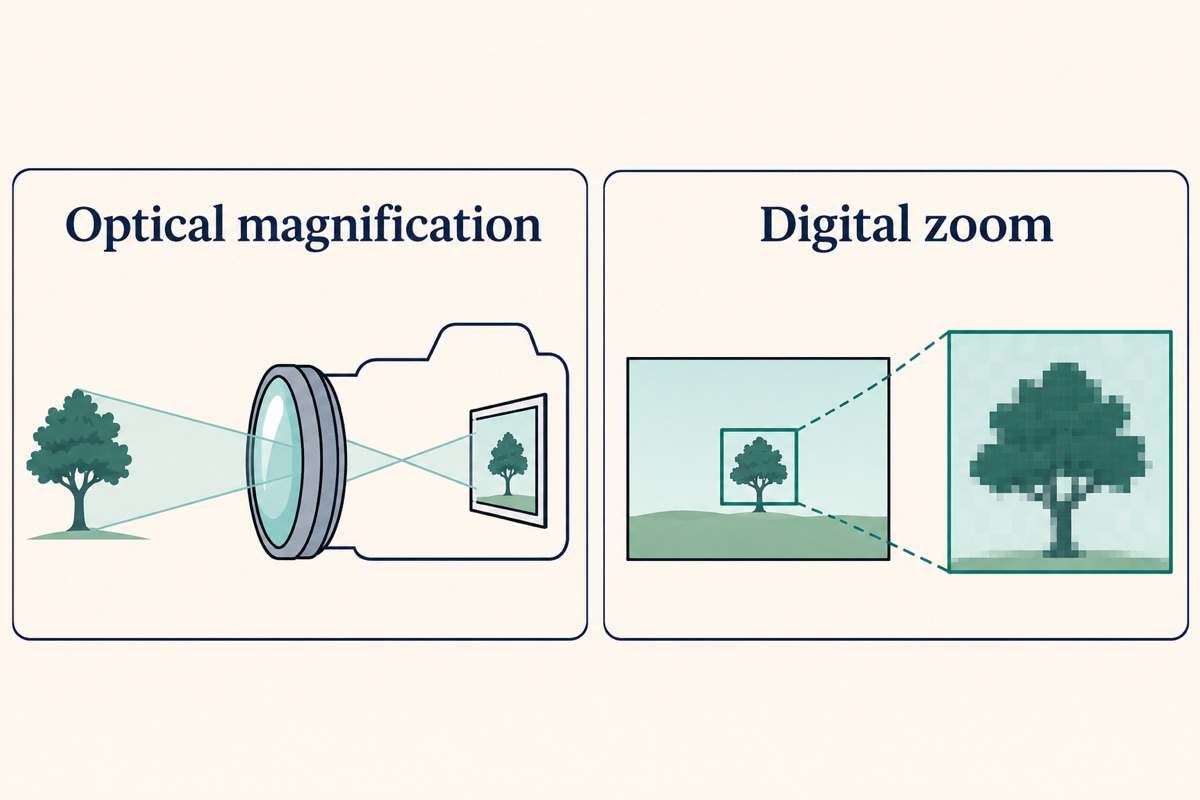
A bigger animal silhouette can still be useful
Digital zoom has a purpose. It can help you inspect a small area on the display, frame a stationary subject, or review something you have already located. We wouldn't dismiss it simply because it isn't optical zoom.
The limitation appears when you expect the highest setting to turn a vague shape into a reliable identification. If focus, light, motion, or distance already limits the original image, digital enlargement can magnify those problems too. Start with a usable view, then add zoom only while it remains helpful.
Why 4K recording doesn't settle the comparison
A video file's dimensions describe its output resolution. They don't, by themselves, tell you the sensor's native resolution, the lens's resolving ability, the processing applied, or how much useful detail survives a crop. Two products with the same recording label can behave differently in the same scene.
Consider a fixed garden fence at dusk. A sharply focused lower-resolution recording can be more useful than a higher-resolution file of a blurred fence. Motion, exposure, compression, and available light all influence the result. We recommend comparing actual footage from the exact model and asking which settings were used.
Keep photos and video separate as well. A headline photo megapixel figure isn't a video specification. If a listing doesn't establish whether an output is native or interpolated, ask for clarification rather than treating the largest number as a measured detail advantage.
Compare three current BekinTek listings carefully
The examples below use our catalog as checked in November 2026. They illustrate different specification combinations, not a laboratory ranking or a promise of identification at a fixed range.
NV-LG67: inspect the recording and display combination
The BekinTek NV-LG67 handheld binocular viewer lists 8x digital zoom, 4K recording, a 3-inch display, and seven IR adjustment levels. Read those as separate features. The digital zoom figure doesn't establish a variable optical zoom lens.
For someone choosing a handheld viewer, we suggest checking whether the controls are comfortable, whether the lowest zoom view is wide enough to find a subject, and whether recordings show the detail they need. A long feature list can't answer those handling questions on its own.
NV-DT59: don't confuse battery capacity with image detail
The BekinTek NV-DT59 binocular viewer lists a 5000mAh battery, 8x digital zoom, 2.5K recording, and a 3-inch screen. Battery capacity is relevant to planning an observation session, but it isn't a measure of sharpness or a guaranteed runtime.
If your routine involves sitting in one spot and checking a fence line, compare the base view and controls before deciding that a higher recording number is essential. Keep illumination and recording settings in mind when comparing battery-life claims too.
NV-NV600PRO: read optical and digital figures independently
The BekinTek NV-NV600PRO binocular viewer lists 5x optics magnification, 8x digital zoom, a 3.5-inch display, and 1080P recording. The optical magnification entry is distinct from the electronic zoom setting.
It would be a mistake to describe those two numbers as a demonstrated “40x optical zoom.” Even if a listing expresses a combined effective magnification, that doesn't convert electronic enlargement into optical zoom or establish useful image detail at the maximum setting. Confirm the base field of view and available controls for the exact unit.
A comparison routine you can repeat at home
Pick a safe, stationary viewing spot and a familiar target such as a birdhouse, fence hinge, or garden chair. Suggested distances of 15, 30, and 50 yards can make a useful comparison if your property safely allows them. These are example test positions, not guaranteed device ranges.
- Begin in daylight or adequate ambient light with the lowest digital zoom setting.
- Focus carefully on the target and support your elbows or use a compatible stable mount.
- Record a short clip, then increase digital zoom one step at a time without changing position.
- Review the saved files on the same screen. Check edges and recognizable features, not just subject size.
- Repeat after dusk, using appropriate IR settings and keeping nearby reflective objects out of the light path.
For moving wildlife, also check whether you can keep the animal in frame. A narrow view can make tracking harder, while a larger electronic image can make hand movement more obvious. Finding the subject quickly may matter more than reaching the highest setting.
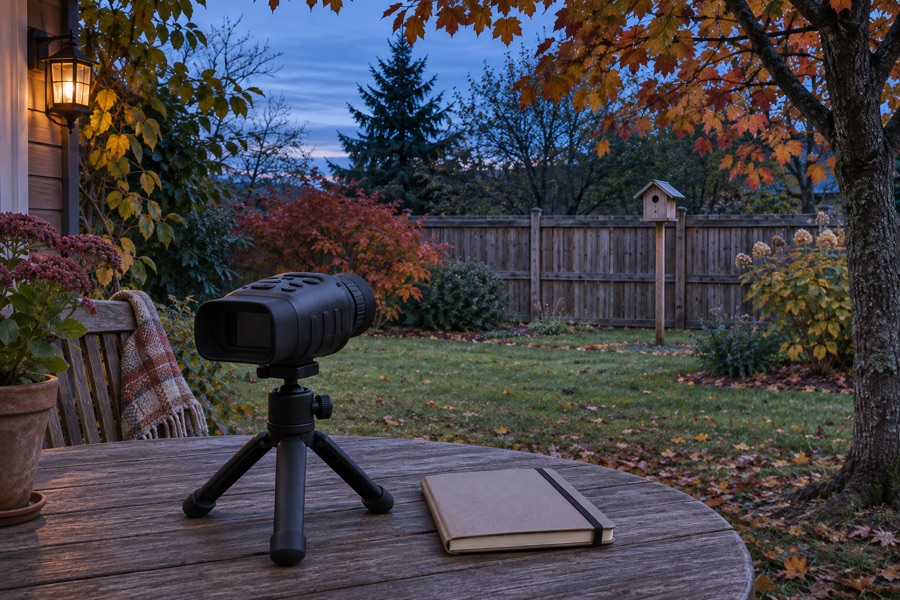
Decide what you need to see before choosing a number
“Something is moving near the fence” and “I can identify the small feature I'm looking for” are different goals. Decide which one matters to you, at what distance, and under what lighting. Then ask for a representative sample rather than relying on a zoom label.
For backyard observation, we favor a clear base view, accessible focus controls, and comfortable handling. For recording clips, add file format, storage, and playback checks to the list. For camping, consider how the viewer fits into a safe stationary observation routine; don't walk while concentrating on its screen.
More zoom isn't a substitute for a suitable viewing position. Neither optical magnification nor digital enlargement lets a viewer see detail hidden behind leaves or around a corner. Let animals keep their distance and avoid pointing illumination into neighboring homes. Choose the equipment around the scene you can actually observe.
FAQ
Q: Is 8x digital zoom the same as 8x optical zoom? A: No. Digital zoom enlarges an image electronically, while optical zoom changes framing through the lens before the image reaches the sensor. Compare the exact optical specifications separately.
Q: Does a focus ring mean a viewer has optical zoom? A: No. Focusing adjusts sharpness for distance. A viewer can have adjustable focus and fixed optical magnification without a variable optical zoom lens.
Q: Will 4K recording always look sharper than 1080P at night? A: No. Output resolution alone doesn't determine useful detail. Lens quality, focus, sensor performance, lighting, motion, and processing all affect the result.
Q: Can I multiply optical magnification by digital zoom? A: A manufacturer may quote a combined effective magnification, but that doesn't make the result optical zoom. It also doesn't guarantee a proportional increase in resolved detail or identification distance.
Q: What should I check before buying night vision binoculars for wildlife? A: Confirm the base optical view, digital zoom settings, focus operation, illumination controls, recording specifications, and handling. Review footage from the exact model in conditions similar to your intended use.